
Your first page, live in about an hour
You need three things. A website Coframe can learn your brand from. One goal for the page. Somewhere to send visitors. You don't need a designer or an engineer. If you want your own domain, an engineer may spend five minutes on it; see step 4.
Capture your brand
Live todayTime: About 5 minutes.
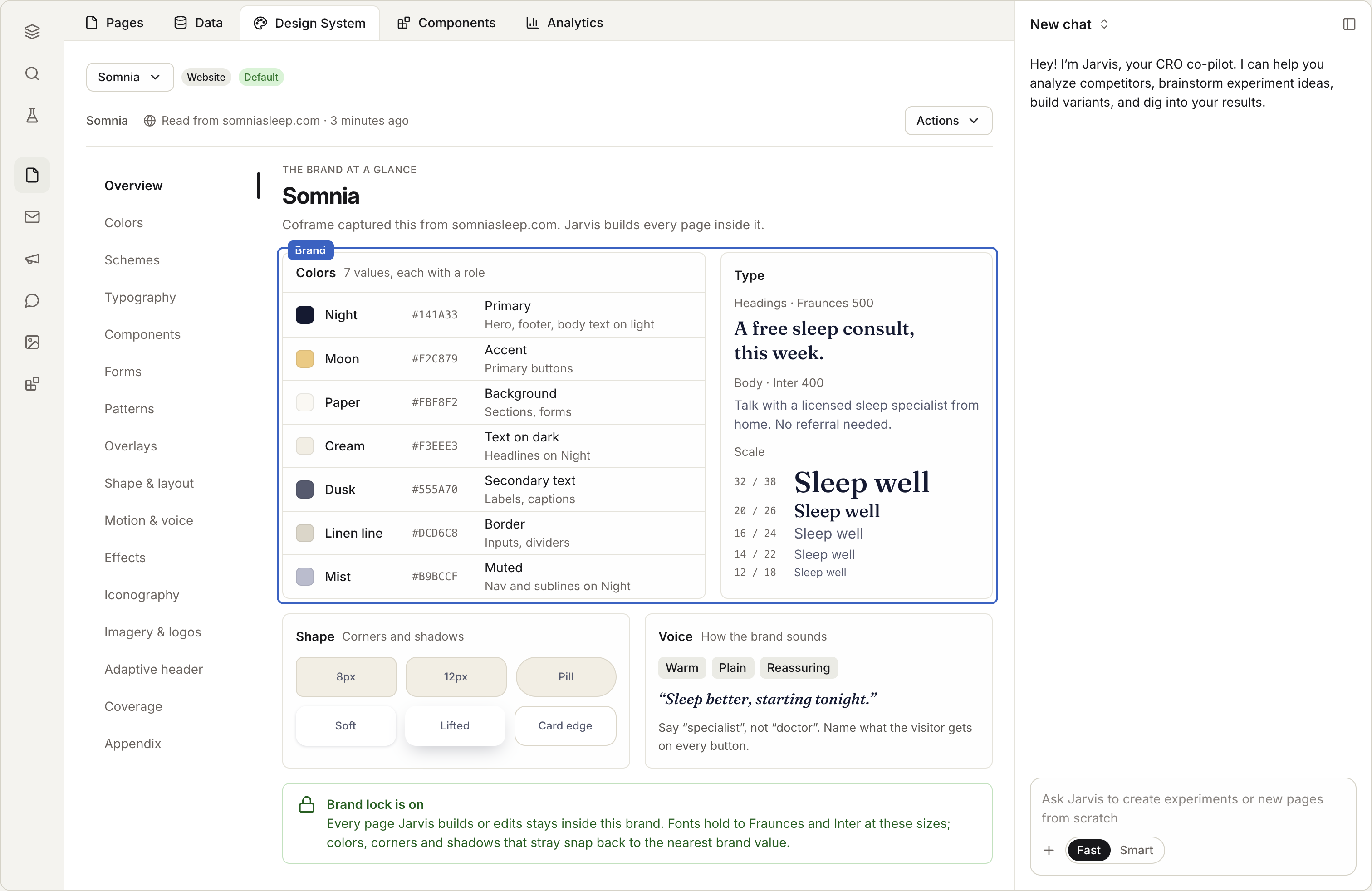
Step 1: Open Landing Pages, then the Design System tab.
Step 2: Enter your website's address. Coframe opens your site in a real browser and writes down your colors, type, spacing, shape and voice.
Step 3: Read the result. If something is wrong, tell Jarvis, Coframe's assistant: "make the primary color #0055FF" or "use Inter for headings."
If your site blocks robots, give Coframe another address on the same brand, or upload your brand files and let Jarvis build the design system from them.
Make a page
Live todayTime: About 10 minutes.
Pick one of three ways:
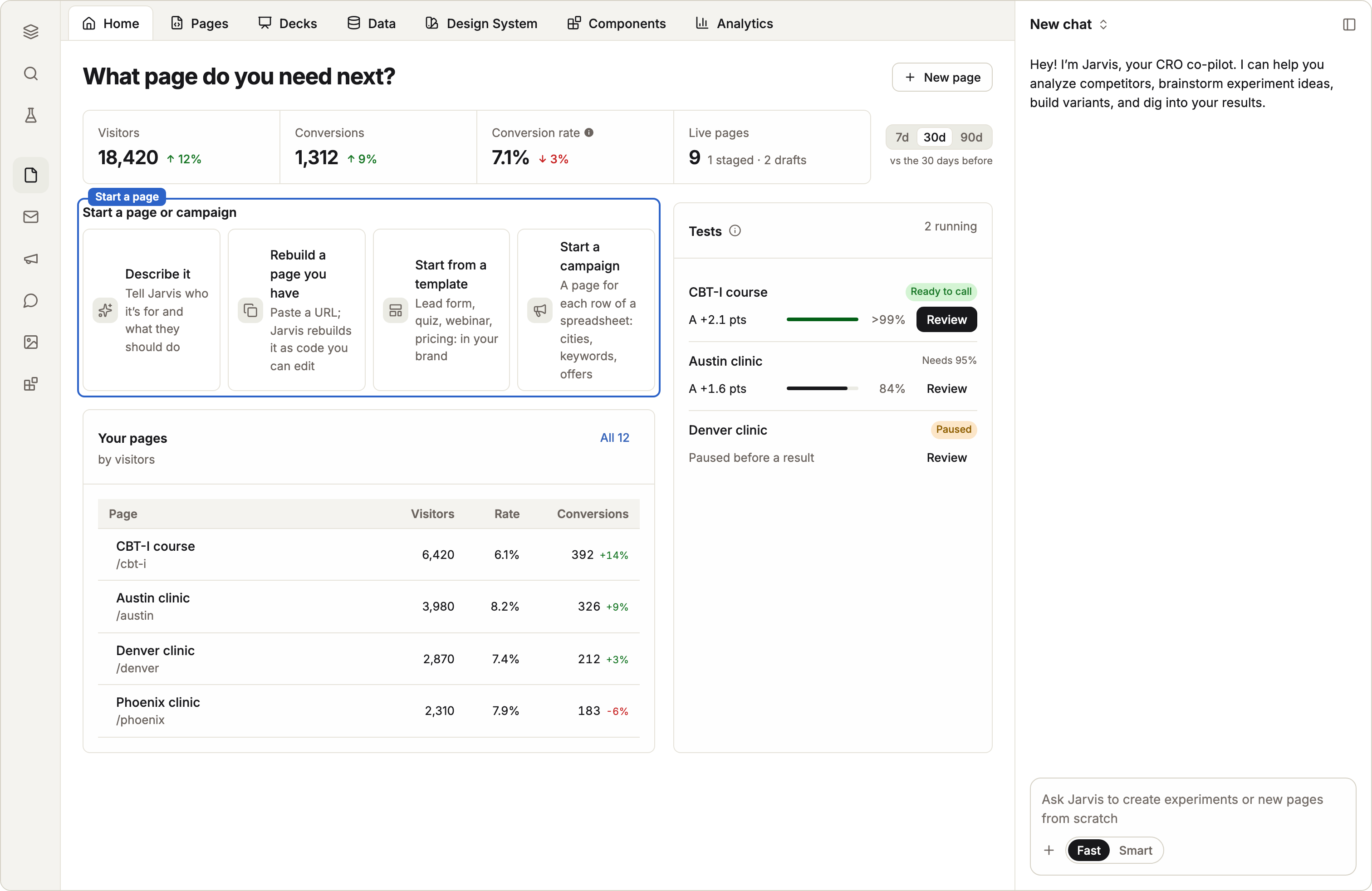
Step 1: Describe it. Tell Jarvis what the page is for, who it's for, and what the visitor should do. Jarvis plans the sections, writes the words and builds the page in your brand.
Step 2: Clone a page you like. Give Jarvis a web address. Coframe rebuilds the page as editable code and checks it against the original.
Step 3: Start from a template. Pick a saved page and change the words. (In beta)
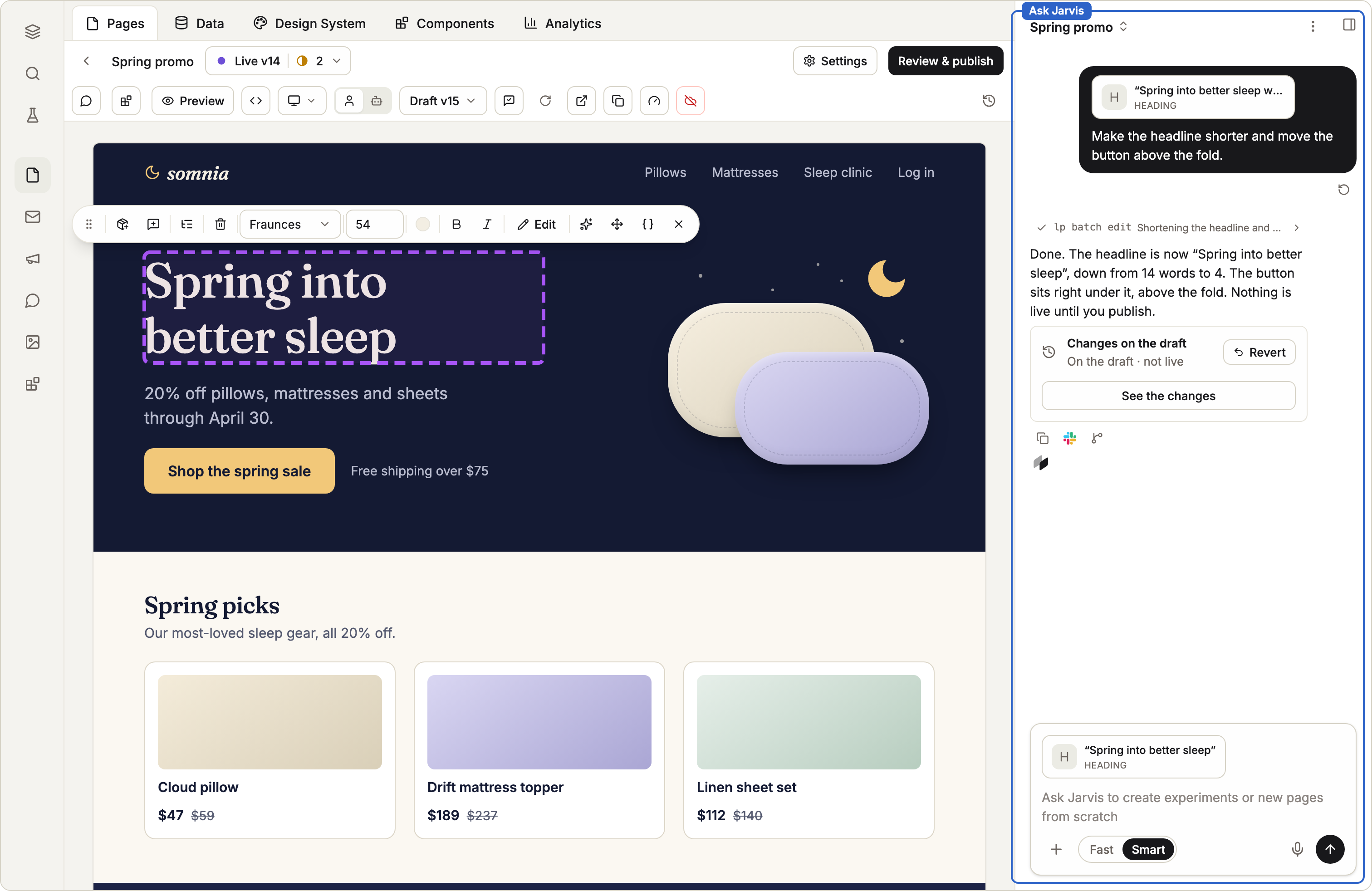
Then make it yours. Click any text or picture to change it. Or select something and tell Jarvis: "make this heading two lines" or "swap this image for the product shot."
Share a staging link
Live todayTime: About 2 minutes.
Open Review & publish and publish to Staging. You get a private link. It is not in search. Anything a visitor sends through a form there is marked as test data. Share the link with your team, or with a guest who can leave notes with just their name.
Put it on your domain
Live todayTime: About 10 minutes, plus DNS time.
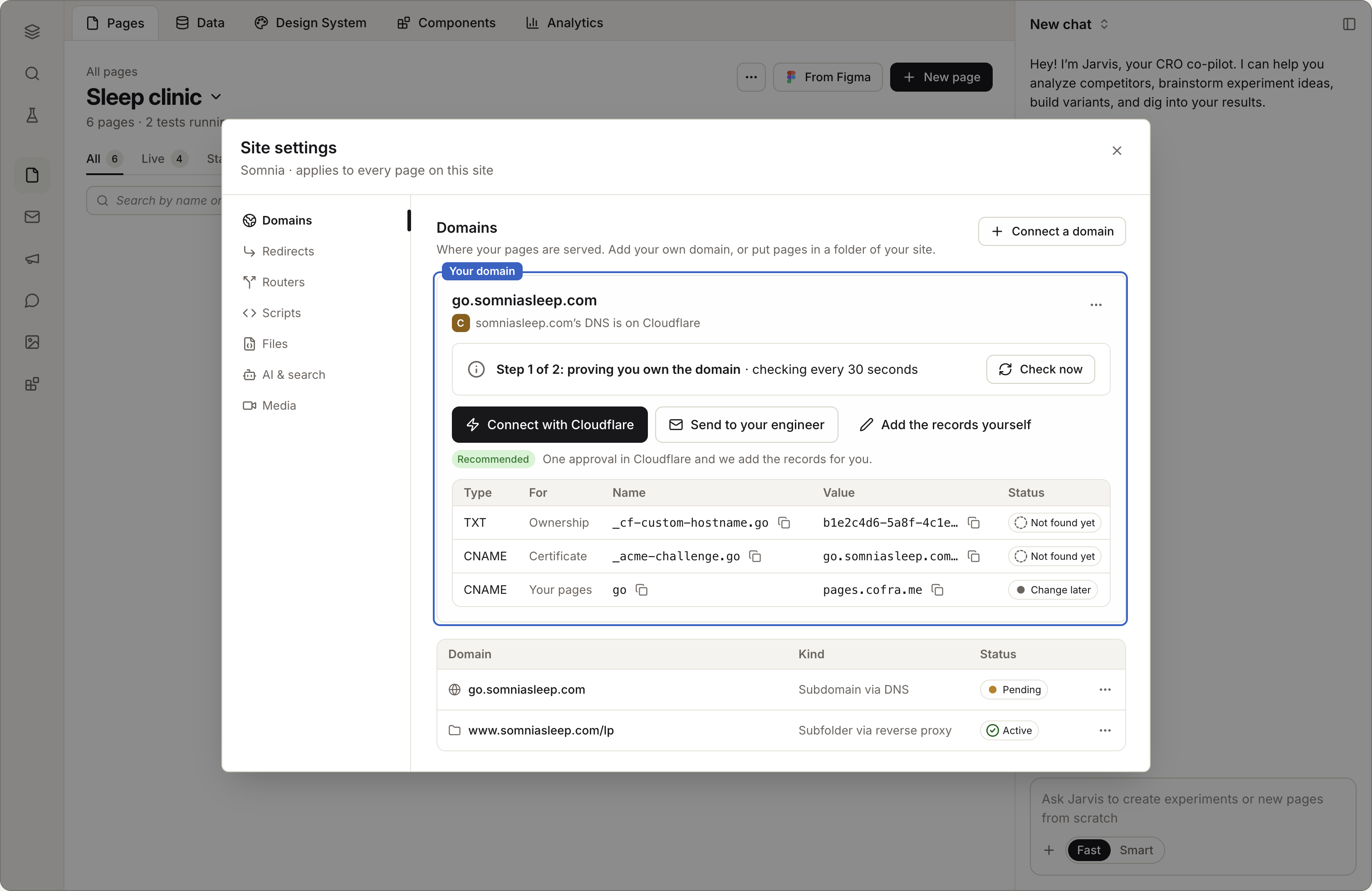
Open Site settings, then Domains, and add an address like go.yourbrand.com. There are three ways to finish:
Step 1: Connect with Cloudflare. One approval, and Coframe adds the records for you.
Step 2: Route 53. One click.
Step 3: Send it to your engineer. Coframe gives you a link with the exact records. Your engineer needs about five minutes. See For your engineer.
Until then, your page works at its default address.
Count a conversion
Live todayTime: About 3 minutes.
Open the page's Analytics tab and choose what to count: a form sent, a button clicked, or a page the visitor reaches. "Count it" on a button works right away, with no new publish. If the thing you want to count happens on another site, ask Jarvis about it.
Publish, then start a test
Live todayTime: About 5 minutes.
Open Review & publish and publish to Production. Your page is live on your domain.
Now ask Jarvis for a variant: "test a shorter headline" or "test the form above the fold." Visitors are split between the Control and variant A. Results show on the page. When one wins, review it as the page.
What happens next
Findings arrive on their own. Each week Jarvis compares the last seven days to the seven before and tells you what to change, with evidence.
You approve. Nothing goes live without Review & publish.
You build the second page faster. Save the first one's sections as parts, or save the page as a template.
Checklist
Brand captured and checked
One page, one goal
Staging link shared
Domain connected (or sent to an engineer)
One conversion counted
Live, with a test running