
Stage 03 · Lesson 1 of 1 · 5 min
Live todayGet feedback before it goes live
Staging is a private copy of your page with its own link. Your team can look, click and leave notes. Visitors never see it, and search engines never list it.
In this stage · 03 Review · 0 of 1 done
Quick version
- Publish to Staging and send the link to your team.
- Your team pins notes on the page, and you resolve them when they're done.
Step 2 · On the page
Annotate the page
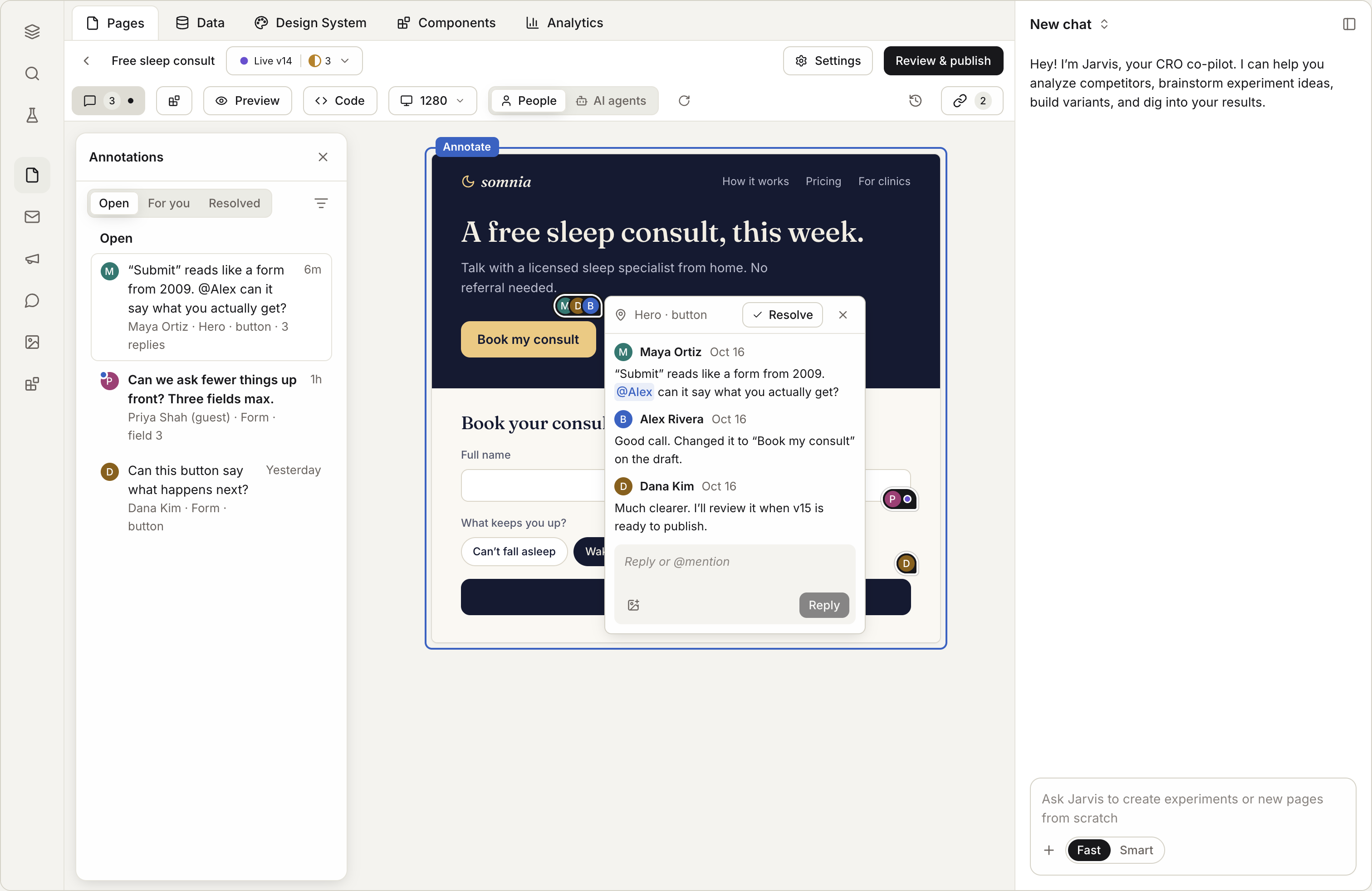
On the page, add a note and pin it to the spot you mean.
Type
@and a name to tell a teammate. They get a notice.Reply in the note's thread.
When it's done, resolve it. Show resolved brings old notes back.
Check it worked
Good to know
- Test data stays separate. If someone fills in a form on staging, the answer is marked as a test. Test answers are deleted after 30 days.
- Staging never goes in search. It's always hidden from search engines.
- Republish staging after changes, so reviewers see the latest draft.
Coming soon
Coming soon- Guest review. Send a link to someone outside your team. They leave notes with just their name, no login.
- Hand a note to someone by a date.
- Approval before publishing. Turn on "Publishing needs approval," and an approver checks each change first.
Next in this stage
That's the last lesson in Review. Next stage: 04 Publish
Check every change before it goes live, then put the page on your own domain.