

Website Optimization Guide: From First Step to Experiments
A practical, step-by-step guide to website optimization: what to improve first, which tools to use, how to build an optimization plan, run experiments, and track results, plus what AI can help you do in the workflow.
 11 min read
 October 21, 2026
 Coframe Team
# Website Optimization Guide: From First Step to Experiments
In this guide, you'll learn:
1. What website optimization includes and how to decide what to improve first.
2. Which tools to use and how to build a practical optimization plan.
3. How to work through practical examples, run experiments, and track results.
4. What AI can help you do and how to use it in your optimization workflow.
Understanding Website Optimization
What Is Website Optimization?
Website optimization is the process of improving a website so visitors can find what they need, use it easily, and complete actions that matter to the business. It spans the visitor journey, from the first page they see to the form, checkout, or other next step.
You can optimize several parts of a website:
- Navigation and UX: Menus, page structure, and how easily visitors find what they need.
- Content and Messaging: Headlines, product information, and calls to action.
- Forms and Checkout: Form fields, checkout steps, and the clarity of the process.
- Speed and Mobile: Page load time, stability, and the experience on smaller screens.
- Accessibility: Whether people with different abilities can use and understand the site.
- SEO(Search Engine Optimization): How well pages can be discovered through relevant search queries.
- Personalization: How content or experiences adapt to a visitor's context.
The right focus depends on your goal and where visitors encounter friction.
Why Website Optimization Matters
Website optimization helps businesses improve the experience for visitors and make better-informed decisions.
- Make it easier for visitors to move forward. Clear information, useful navigation, and manageable forms help visitors understand an offer and complete the next step, such as requesting a demo or making a purchase.
- Improve meaningful business outcomes. By investigating where potential customers leave, teams can focus on changes that may increase qualified requests, purchases, or other valuable actions.
- Replace assumptions with evidence. Rather than debating whether a headline, form, or layout is better, teams can study visitor behavior, test a specific change, and measure its effect.
- Build knowledge over time. Not every change will improve results. Each well-designed experiment can still reveal what resonates with a particular audience and inform the next decision.
Website Optimization Workflow
A practical optimization cycle has four stages: find an opportunity, design a focused change, run an experiment, and learn from the result.
Step 1: Find an Opportunity

Start with one business goal, such as increasing qualified demo requests or purchases. Use Google Analytics to identify where visitors drop off, then review recordings, user feedback, support questions, or usability tests to understand what may be causing the problem.
Use more than one source of evidence when possible, and separate what you observed from what you think caused it. Prioritize one opportunity based on its potential impact, available evidence, implementation effort, and measurability. Fix confirmed technical issues first, then choose one problem to investigate or test.
Step 2: Design a Focused Change

Turn the opportunity into a specific, testable change. Define:
- Observation: What did the data or visitor feedback show?
- Change: What will be different?
- Reason: Why might this change address the problem?
- Measure: What is the primary metric, and what guardrail should remain healthy?
- Owner and timing: Who will prepare and review the test, and how long will it run?
Keep the change focused so you can understand what caused the result.
Step 3: Run the Experiment
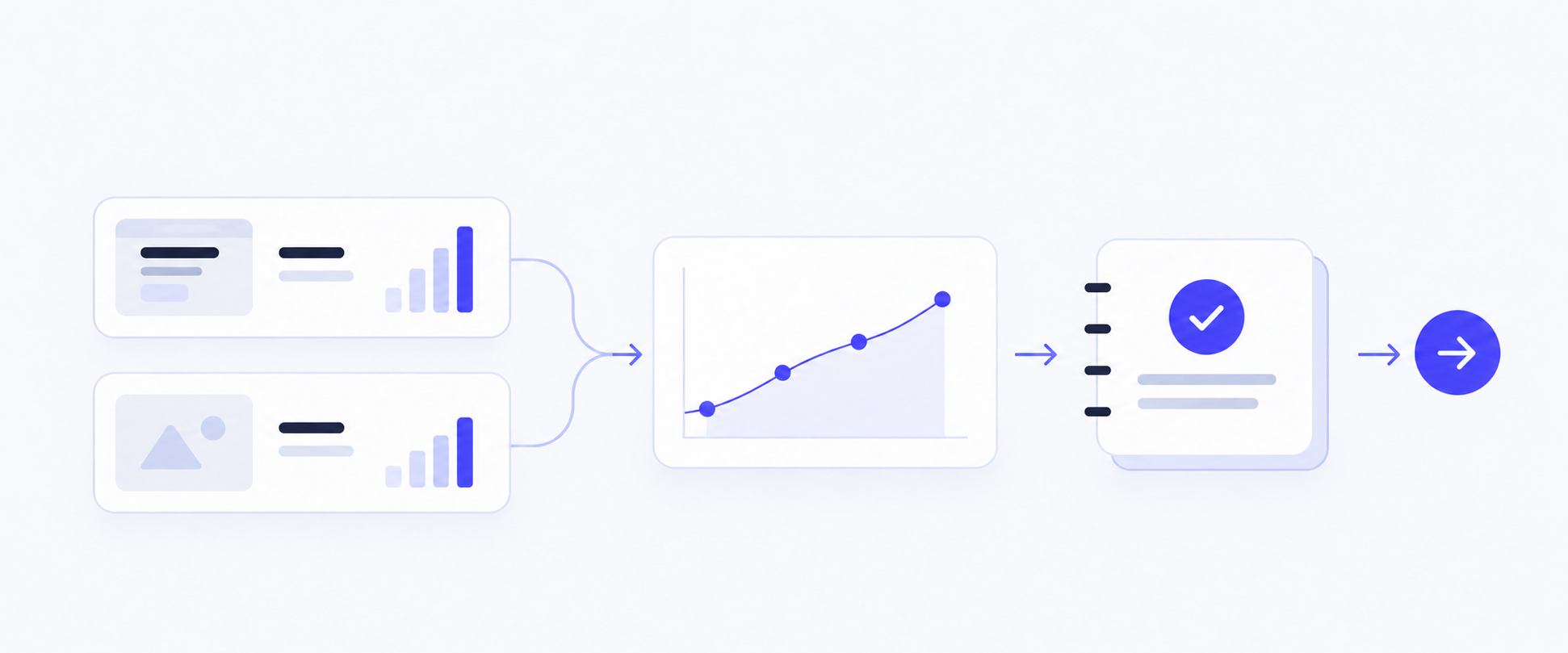
Test the proposed change against the current experience. Before launch, confirm that tracking works, both versions display correctly, and eligible visitors are split fairly.
Run both versions during the same period and set the sample target or test duration in advance. Test one clear hypothesis at a time, whether it relates to messaging, navigation, forms, layout, mobile experience, or personalization.
Step 4: Measure and Learn
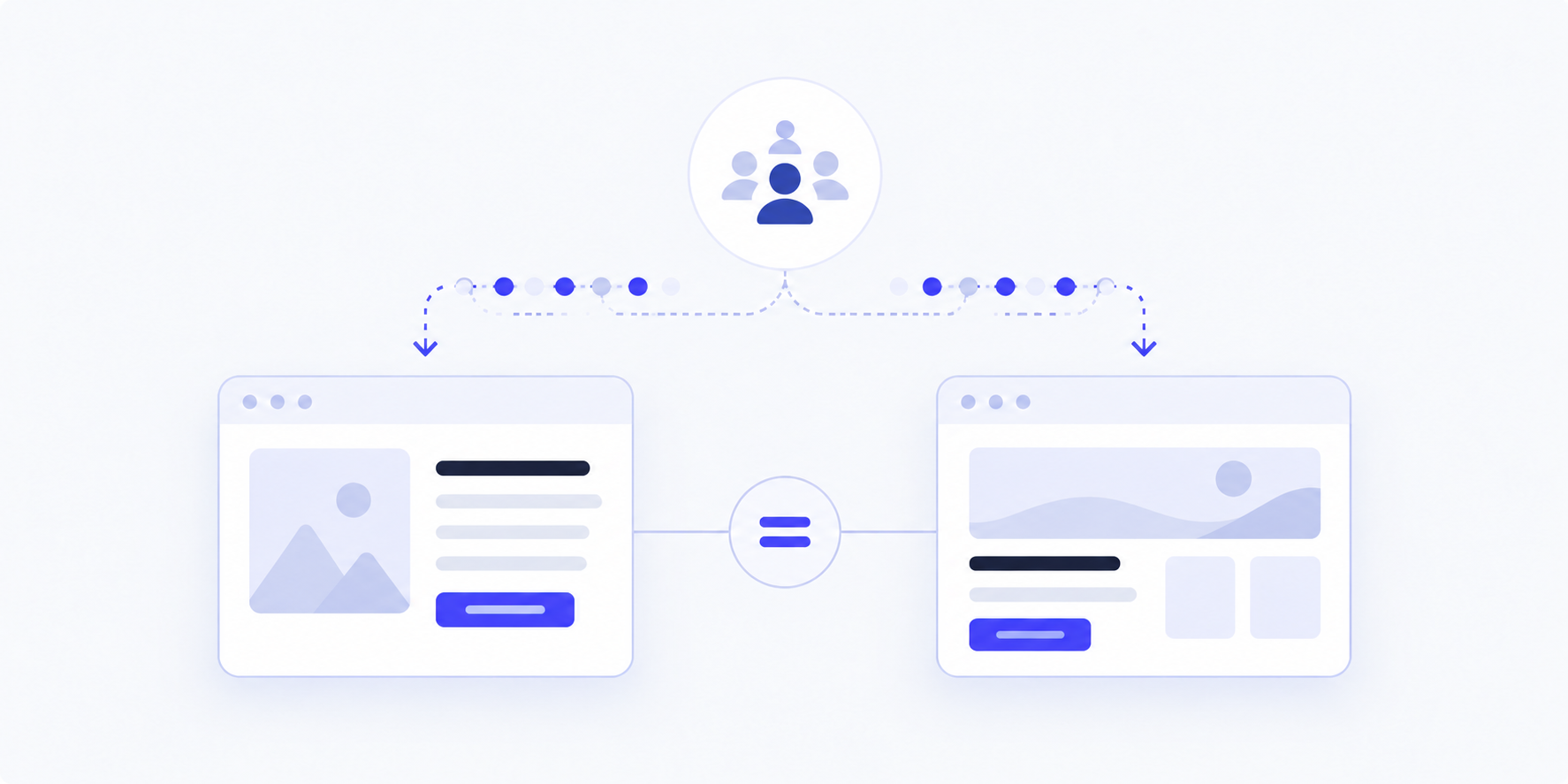
After the test, check that both versions worked as intended and that the data is complete. Compare the primary metric with the guardrail rather than judging the result by clicks alone.
Record the audience, dates, versions, sample size, results, and next action. Adopt the change if it improves the primary metric without harming the guardrail. Keep the original if it performs better, or mark the result inconclusive when the evidence is insufficient.
How Coframe Supports the Website Optimization Process
Coframe walkthrough
Coframe helps teams streamline website optimization, from identifying opportunities to testing improvements and learning from results.
1. Find Website Optimization Opportunities
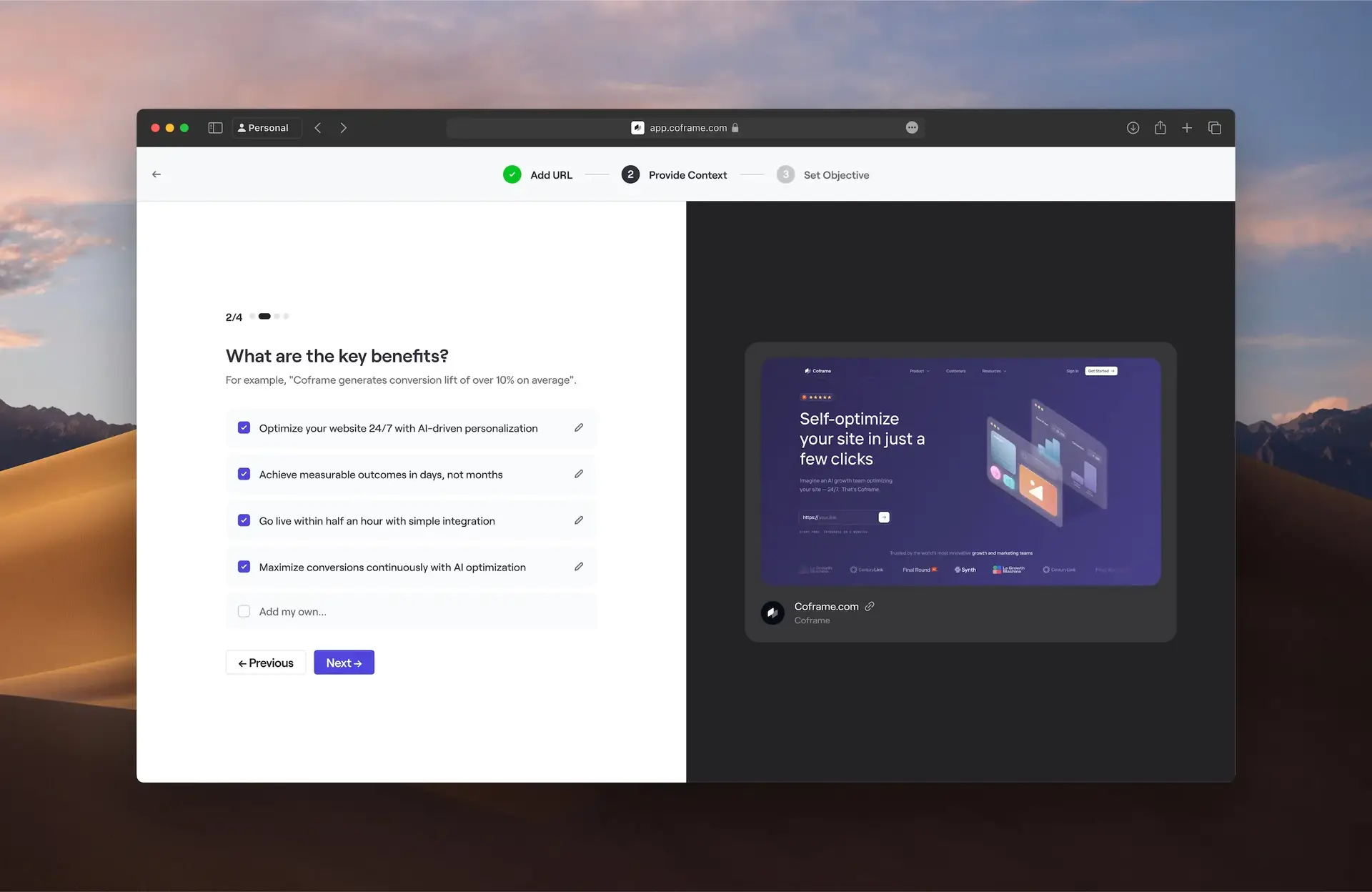
- Understand your website: Coframe analyzes your website, business goals, and target audience.
- Spot areas to improve: Identify opportunities to improve headlines, calls to action, messaging, and layouts.
- Generate new versions: AI creates alternative page designs, copy, and visuals to explore what could work better.
2. Review and Approve Website Changes
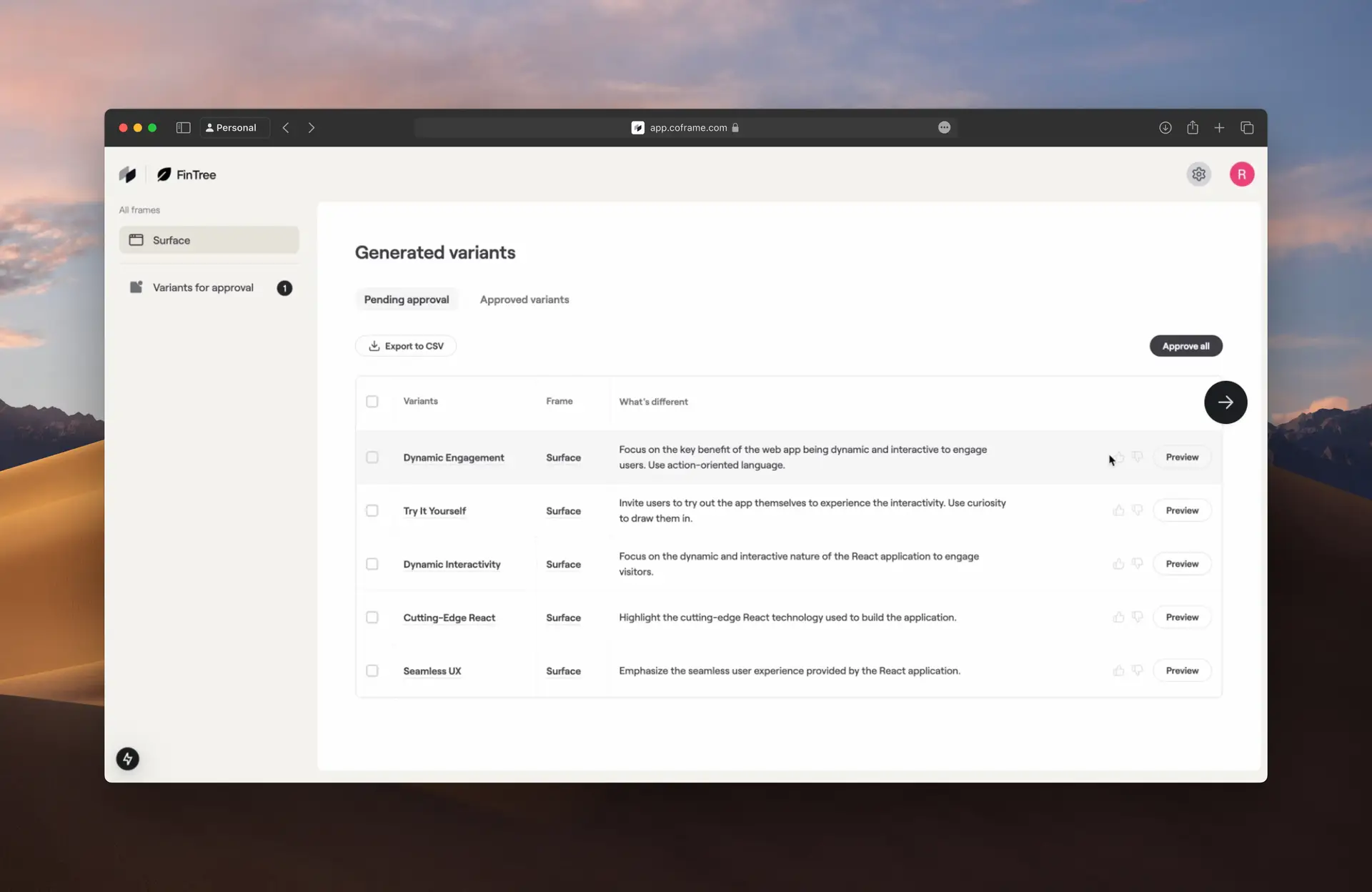
- Preview the changes: See the new page versions Coframe generates before they go live.
- Compare your options: Review different headlines, layouts, and designs to find what fits your brand.
- Stay in control: Make adjustments and approve the versions you want to test.
3. Test, Personalize, and Improve Website Performance
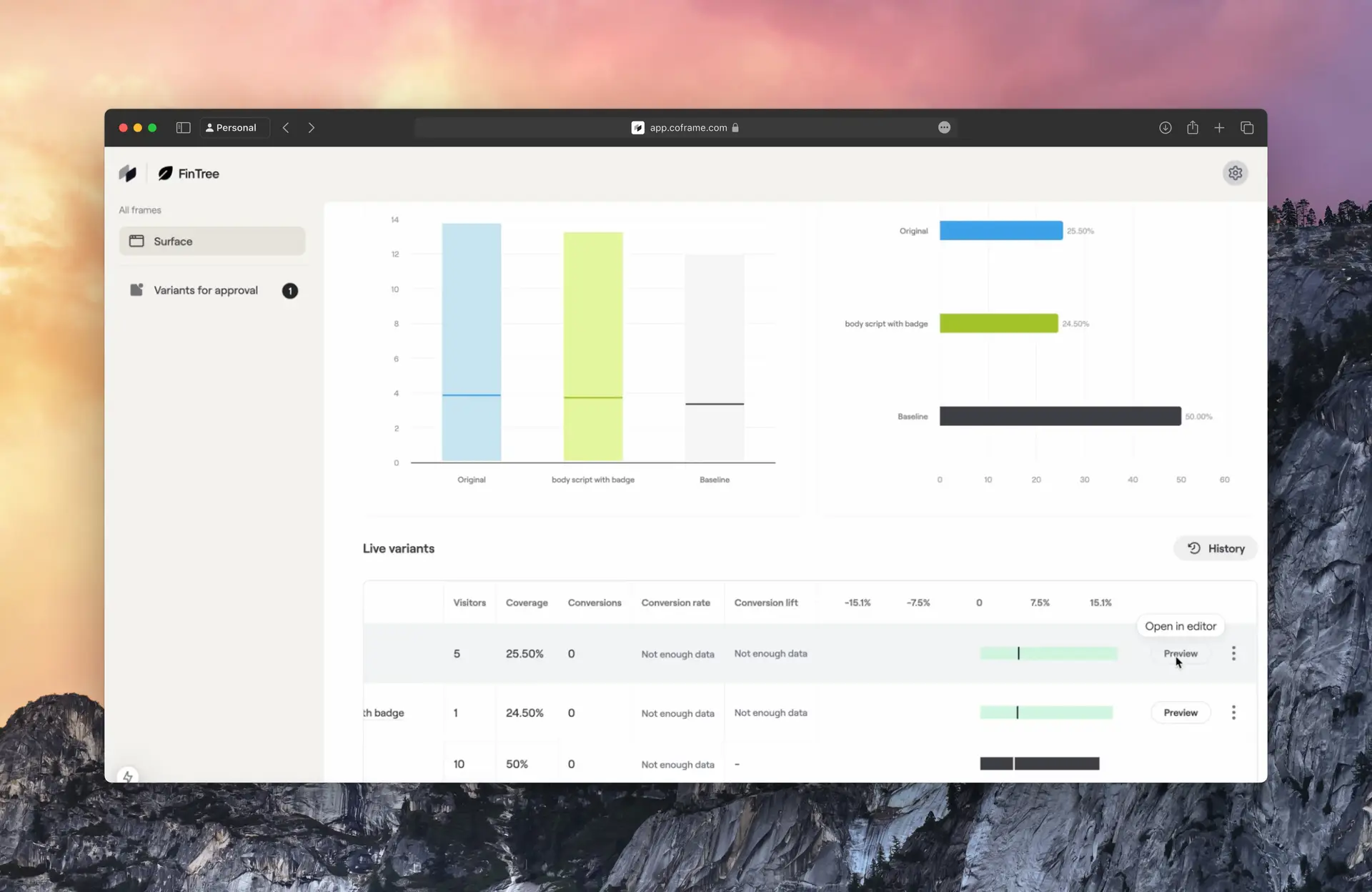
- Run experiments: Coframe tests approved page versions to see which ones drive more conversions.
- Personalize experiences: Show different content or designs to different visitor groups based on their needs.
- Track results: Measure conversion rates and identify which changes perform best.
4. Keep Improving with a Continuous Optimization Loop
- Learn from every test: Use experiment results to understand what works and what doesn't.
- Find the next opportunity: Turn those insights into new ideas for improving your website.
- Repeat and improve: Generate new variations, test them, and continue refining your website as visitor needs change.
The continuous optimization loop:
Analyze → Generate → Approve → Test → Measure → Learn → Repeat
Instead of treating website optimization as a one-time project, Coframe helps teams build an ongoing process where each experiment informs the next improvement.
Website Optimization Tools
| Category | Tool | Function |
|---|---|---|
| AI Website Optimization | Coframe | Heatmaps and session recordings, AI-generated website variations and copy, AI-powered experiments, and personalized experiences |
| Analytics | Google Analytics 4 | Traffic analysis and conversion funnels |
| Performance | PageSpeed Insights | Website performance analysis |
| SEO | Semrush | Keyword research, competitor analysis, and SEO audits |
What AI Can Do for Website Optimization
In 2026, AI is no longer just the tool you ask to rewrite an email or explain a meme. It's becoming more agentic and able to investigate problems, suggest what to try next, and help teams move from ideas to action.
AI Website Experimentation
- Generate ideas to improve website conversions. Coframe helps teams identify and prioritize the most promising opportunities.
- Create and manage different webpage experiences. Teams can compare results and understand which changes work best.
AI Website Variant Builder
- Create webpage variations from simple descriptions. Teams can update copy, layout, images, and other page elements more efficiently.
- Build landing pages and mockups from a brief. This makes it easier to explore and refine new ideas.
Analytics and Insights
- Understand how visitors interact with a website. Coframe helps teams identify areas where users may lose interest or encounter friction.
- Review performance across different audiences and traffic sources. These insights help teams make better decisions about what to improve.
AI Website Optimization
- Organize improvement ideas, experiment results, and key learnings in one place. Teams can prioritize future work and avoid repeating past mistakes.
- Match pages to the visitors who land on them. Coframe helps tailor landing pages by audience, campaign, or ad, so the experience fits the intent behind the click.
AI Website Optimization Examples
SaaS Website Optimization Example: Replit
Driving 410% conversion lift for Replit
The challenge: Replit's optimization process was slow and fragmented across disconnected tools, making it difficult for its fast-moving marketing team to test ideas quickly.
The solution: Coframe supported experimentation across Replit's homepage, pricing page, enterprise page, and paid landing pages. On the enterprise page, the team tested messaging and UI changes, including replacing a CTA button with an embedded form and using video focused on social proof. Paid landing pages were also tailored to match the ads visitors clicked.
The result: Coframe reports a 410% lift in enterprise-funnel conversions and twice as many demo requests across the program. Experiments were deployed in hours rather than weeks. These are program-level results; the case does not attribute the overall lift to any single change.
Ecommerce Website Optimization Example: L.A.B. Golf

The challenge: L.A.B. Golf sells premium, customizable putters that require shoppers to compare options and make several decisions. Its product pages and configurator could add complexity; the mobile purchase path needed improvement, and slow testing made it harder to learn what worked.
The solution: Coframe ran experiments across the homepage, product pages, and cart. AI generated on-brand variations, which the team reviewed before launch. Tests explored clearer next steps, simpler decision points, and more visible mobile conversion paths. Across the program, reducing unnecessary detail and preserving familiar content hierarchy performed better than adding interface elements or complexity.
The result: Coframe reports a 30%+ conversion lift over four months and a 38% win rate across the program. Read the L.A.B. Golf case study.
Grocery Brand Website Optimization Example

The challenge: A leading grocery brand had a high-traffic paid landing page, but it was deprioritized while teams focused on other surfaces. Designing and launching experiments took weeks because the work depended on engineering capacity.
The solution: Coframe helped the team launch more than 50 on-brand variations in three months. The experiments tested campaign messaging, hero video and headlines, CTA placement, and trust and urgency elements. The team measured actual membership signups and used its existing analytics setup.
The result: Coframe reports $3.19 million in projected incremental annualized revenue and more than 20× ROI from deployed wins. A "Healthy Reset Sale" campaign message also beat "Back-to-School" by more than 16% in a head-to-head test. Read the grocery brand case study.
Website Optimization Checklist for Beginners
- [ ] Choose one page, audience, and conversion goal.
- [ ] Verify tracking and record your starting point.
- [ ] Find evidence for one priority problem.
- [ ] Define and review the proposed change.
- [ ] Set metrics, owners, and the evaluation plan.
- [ ] Review results, record the decision, and plan the next step.
FAQ
How Is SEO Different from Website Optimization?
SEO commonly includes:
- Technical SEO: Crawlability, indexing, site structure, and mobile readiness.
- On-page SEO: Search-focused content, page titles, headings, and internal links.
- Off-page SEO: Reputable links and references from other sites.
SEO and website optimization overlap, but they have different scopes. Search engine optimization (SEO) focuses on helping the right pages appear in relevant search results and bring qualified visitors to the site. Website optimization is broader: it also looks at what happens after people arrive, including whether the page is clear, usable, fast, and helps visitors complete a goal. SEO can be one part of website optimization, but search visibility alone does not show whether visitors can complete a purchase or request a demo. This guide focuses on improving the on-site experience and outcomes; it does not teach SEO tactics.
What Is the Difference Between Website Optimization and CRO?
Website optimization is the broader practice of improving a site's usability, performance, content, and ability to support business goals. Conversion rate optimization (CRO) focuses specifically on increasing the share of visitors who complete a desired action, such as requesting a demo or making a purchase. CRO is one part of website optimization; both benefit from evidence, measurement, and ongoing testing.
How Often Should You Optimize Your Website?
Website optimization is ongoing, but that does not mean changing something every week. Review performance regularly, and investigate after meaningful changes to your site, audience, or business goals. Prioritize changes when analytics, visitor feedback, or usability checks reveal a clear opportunity. After making a change, measure its impact before deciding what to do next.
How Long Does Website Optimization Take?
There is no single timeline for website optimization. Fixing a clear technical issue may be quick, while understanding a larger conversion problem and testing a solution can take longer. For an experiment, set the evaluation period or sample target before launch; the time needed depends on traffic, conversion volume, and the size of the effect you want to detect. Avoid ending a test early just because one version looks ahead.